Mobile App Privacy Policy
Last updated: September 27, 2026
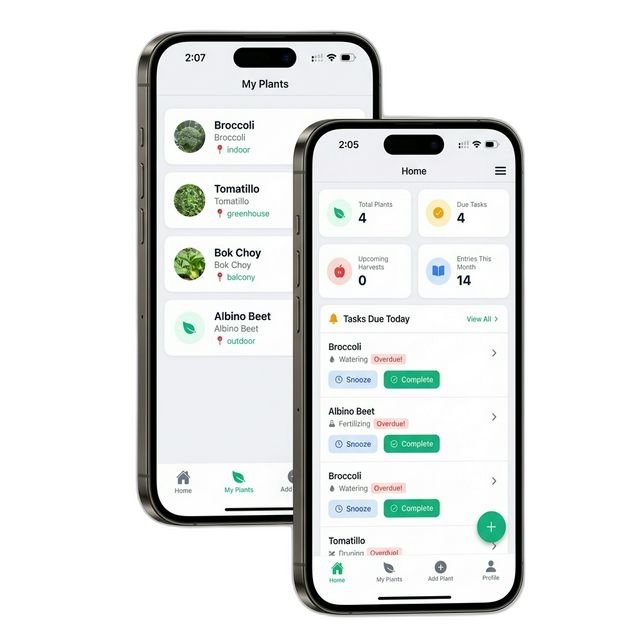
This Privacy Policy specifically applies to the PlantHelper mobile application (the
"App"), available on iOS and Android. This policy explains how our App collects, uses, and discloses
your information.
1. Information We Collect from the App
a. Device Permissions & Data
Our App requires certain permissions to function correctly. We only access this data with your explicit
consent:
- Location Data (GPS): Used to provide localized weather forecasts, frost/rain
alerts, and accurate planting zones. You can engage with the App without granting this permission,
but location-based features will be disabled.
- Camera & Photo Library: Used to let you take or upload photos of your plants for
identification, health diagnosis, and your personal plant journal. We do not access your photos
without your action.
- Notifications: Used to send you timely plant care reminders (watering, fertilizing)
and critical weather alerts.
b. Third-Party Services & SDKs
The App integrates with the following third-party services which may collect data:
- Google Sign-In & Facebook Login: Used for authentication. We only collect your
name, email, and profile picture to create your account.
- Expo & Over-the-Air Updates: We use Expo to deliver critical bug fixes and updates
directly to your device.
2. How We Use App Data
- Personalization: Your location is used strictly to fetching weather data relevant
to your garden. We do not track your movements or share your location history.
- Plant Analysis: Photos you upload are processed to identify plant species and
diagnose diseases. These images are stored securely associated with your account.
- App Functionality: To sync your garden data across devices and ensure your care
schedule is up to date.
3. Data Sharing from the App
We do not sell your personal data. Data collected via the App is shared only as follows:
- Service Providers: Cloud hosting and database providers who support the App's
infrastructure.
- Legal Compliance: If required by law enforcement or legal process.
4. Your Control
You can manage your data directly on your device:
- Revoke Permissions: Go to your device Settings > PlantHelper to turn off Location,
Camera, or Notifications at any time.
- Delete Account: You can request full account deletion from within the App's profile
settings or by contacting us.
5. Contact Us
If you have specific questions about our Mobile App privacy practices, please contact:
Email: flying.saruk@gmail.com
Website: https://planthelper.org